Using Novabook
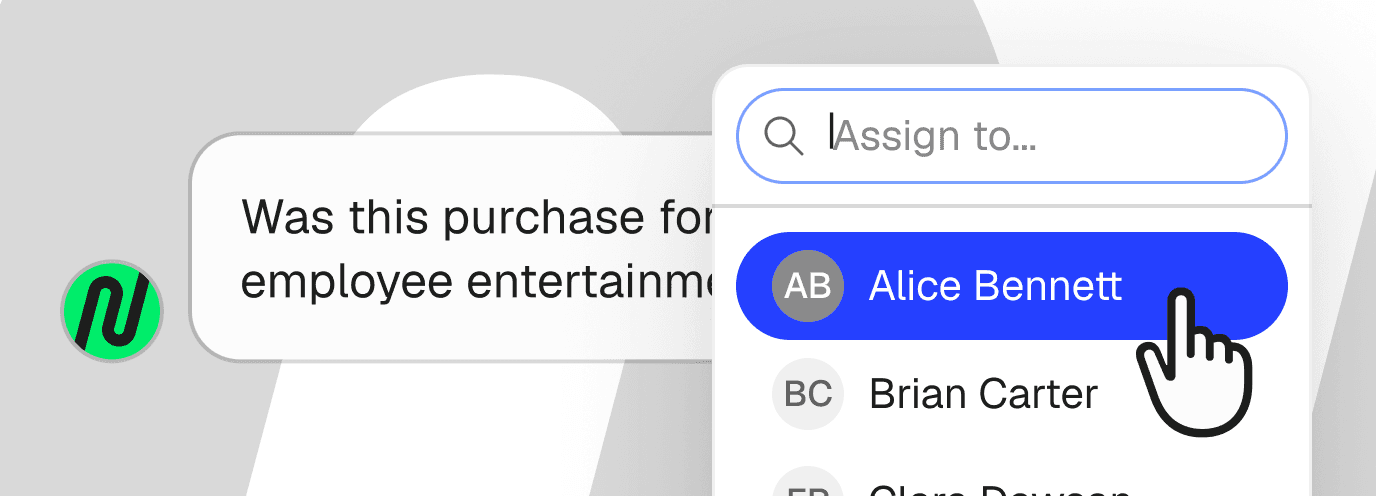
Assign receipts requests to your team
A receipt request is a question from Novabook about a missing receipt. If a colleague has the receipt, assign the request to that colleague, and the request leaves your list.
How do you assign a receipt request to a colleague?
Open the request and click the avatar next to the request title. Search for your colleague and pick their name.
The request moves to your colleague's receipt requests in Novabook. Your colleague also gets an email about the request.
Only Super Admins and Books Admins can assign requests. Other team members only see the requests assigned to them.
If your colleague isn't on Novabook yet, add them by clicking Add User on the Users page.
How to add another Books Admin?
Adding another Books Admin will allow them to see every request from Novabook (including contractors, expense reimbursements & possibly all transactions), not only the requests assigned to them. A Books Admin can answer any request or assign a request to someone else in your team who is likely to have the receipt.
Books Admins receive email notifications about receipt requests and can see all receipts stored in Novabook. Books Admins can't see payroll or payments, but can see transactions that we request context on such as funding rounds, contractor invoices or expense reimbursements.
To make a colleague a Books Admin, go to Users, open their profile and pick Books Admin on the Role Details tab.
