
Using Novabook
Paying your supplier invoices on Novabook
Track, store & pay your Supplier Invoices from Novabook.
Forward your payables to Novabook and we can track the payments that you have to make and email you when one of the payment deadlines arrive. The Pending page shows which invoices are overdue, which are due today and then you can pay GBP invoices using Plaid from your business bank account.
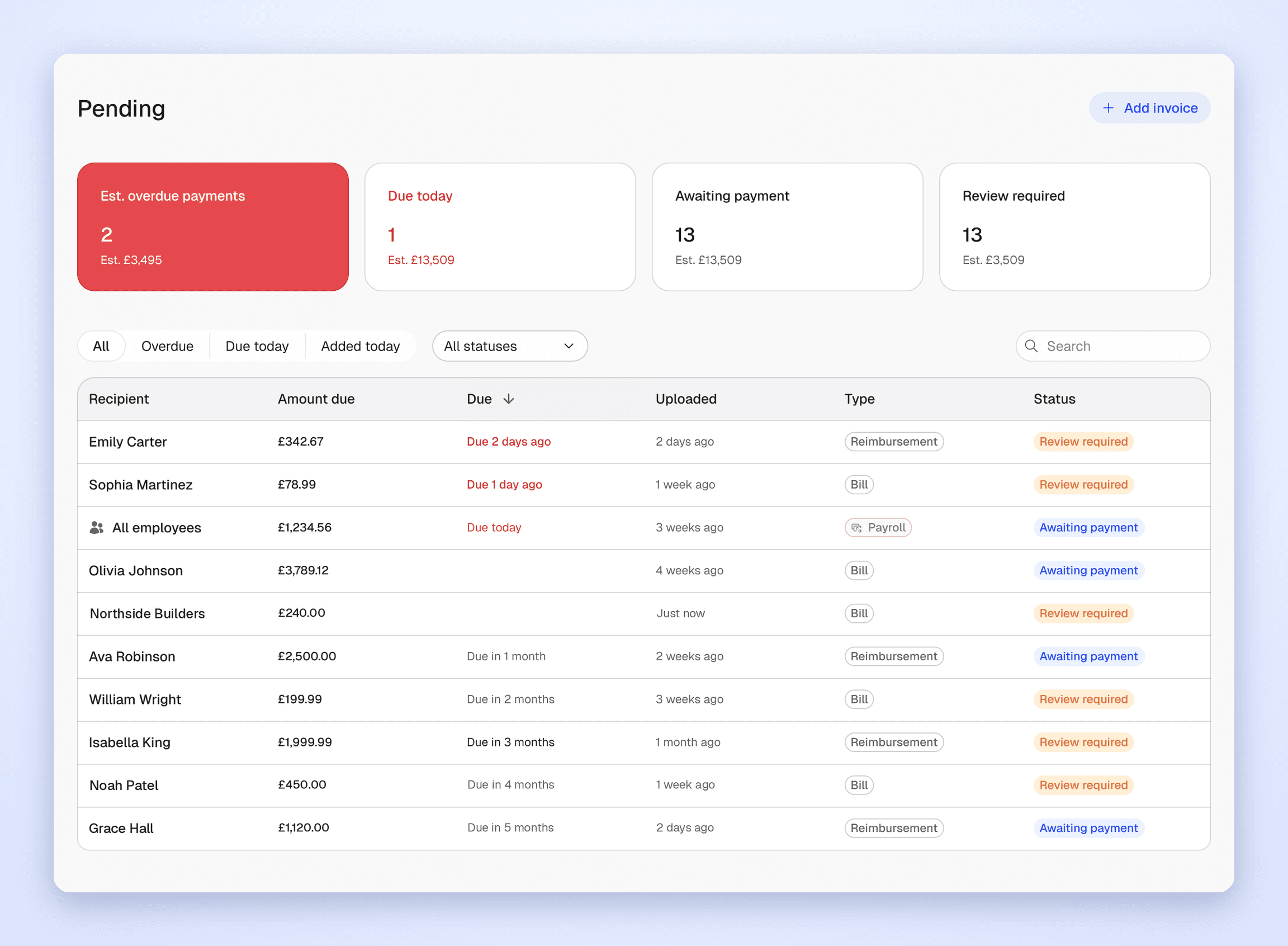
How do you send a supplier invoice to be paid?
You can send supplier invoices to Novabook in two ways:
Forward the invoice via email: If you add pay. to your alias, then the invoice will appear automatically on the Payments page. Your pay alias email is shown on the Payments page and is three words. So to forward it, the alias will look like pay.happy.goat.sun@novabook.ai.
Upload the invoice: click Add invoice on the Payments page.
How do you pay the invoice from the Payments page?
Click an invoice on the Payments page to see the payment details next to the invoice. Check that the amount and bank details match the invoice, then click Pay.
The payment goes from your business bank account through Open Banking, using our provider, Plaid.
For now, you can only pay invoices in GBP. For an invoice in another currency, pay the invoice from your bank as usual, then click Mark as paid to move the invoice out of Pending. We're working on supporting other currencies soon!

How do you check the invoices aren't fraudulent?
See the original email: click View email to read the email the invoice arrived in, including the full thread.
Check external senders: if someone outside your team forwards an invoice, we flag the invoice so you can double-check before paying.
Check the bank details: We have tried to automate this but you checking the bank details is a feature not a bug.
Only Super Admins can pay: you can change who has access to pay on the People page.

How do you get started with paying invoices?
Head to the Payments page and click Add invoice.